Professional invoices from your cut lists
Stop juggling spreadsheets and word processors for invoicing. Sawvy generates invoices directly from your optimization results, pre-filled with material quantities and costs. Add labor, tax, discounts, and export a polished PDF your clients will take seriously.
Auto-populated from your optimization
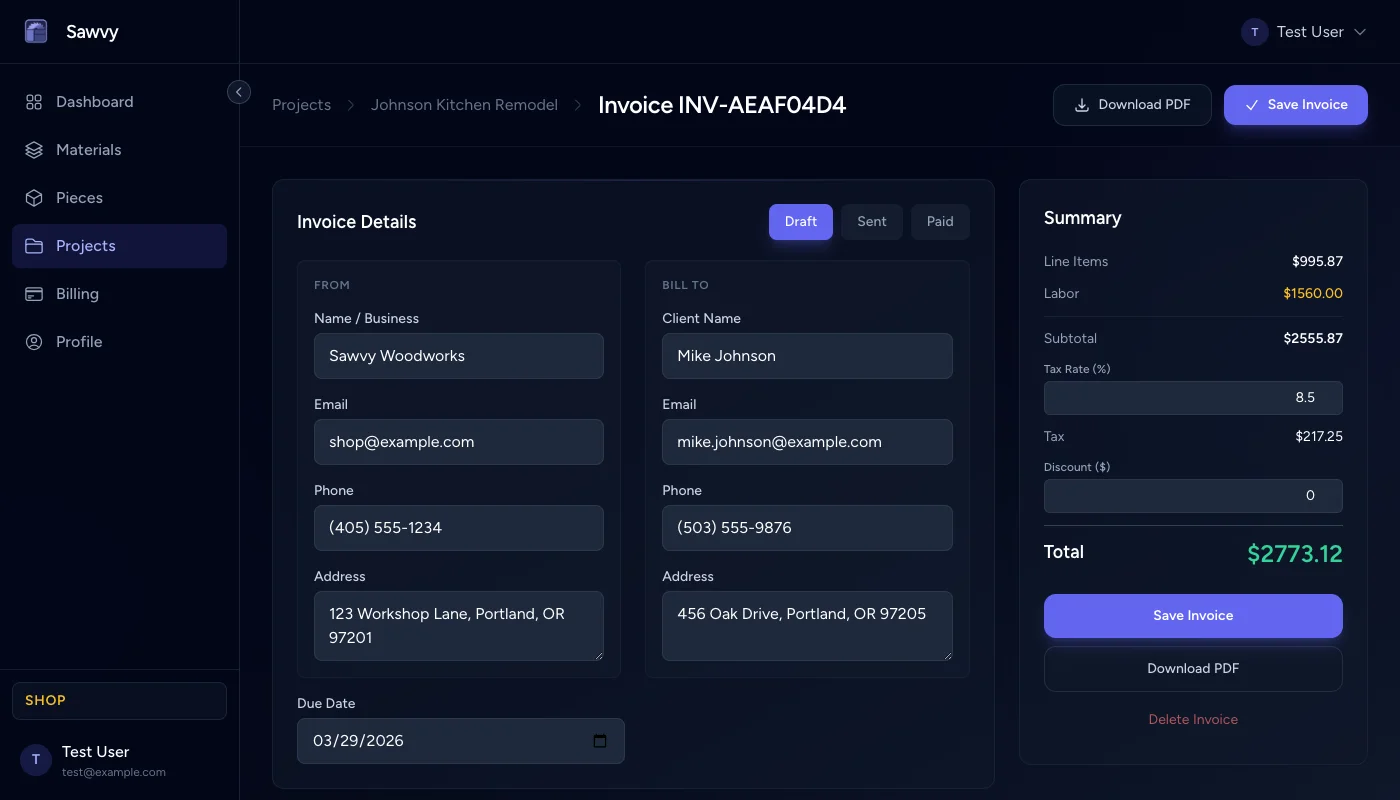
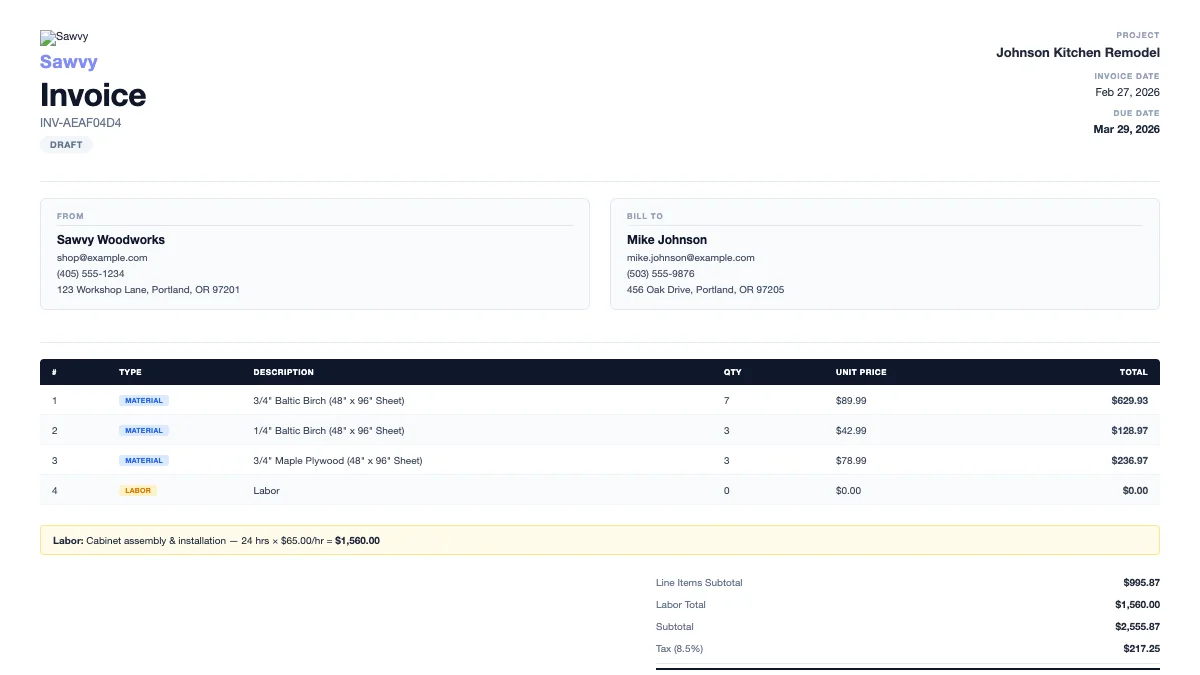
When you create an invoice, Sawvy automatically pulls every material from your latest optimization run — sheet counts, board counts, dimensions, and unit costs. No manual data entry, no copy-paste errors. If your optimization changes, create a fresh invoice and it updates automatically.
Flexible line items
Beyond materials, add line items for anything your project needs: fasteners, hardware, finishing supplies, edge banding, delivery fees. Each line item has a description, quantity, and unit price. Reorder them by dragging to put the most important items first.
Built-in labor tracking
Add labor as hours and an hourly rate. Sawvy calculates the labor total and folds it into the invoice automatically. Whether you charge by the hour or by the project, the math is handled for you.
Tax, discounts, and payment terms
Set a tax rate and optional discount. Add payment terms (Net 30, due on receipt, etc.), a due date, and notes for the client. The invoice summary calculates subtotal, tax, discount, and grand total in real time as you edit.
PDF export for clients
Export a clean, professional PDF invoice with your Sawvy branding, client info, itemized costs, and totals. Send it via email or print it out. Status tracking (draft, sent, paid) helps you stay on top of outstanding invoices.
Spreadsheet invoicing vs. Sawvy
Without Sawvy
- Manually copy material quantities from cut sheets to a spreadsheet
- Calculate totals by hand and risk arithmetic errors
- Format a presentable invoice in Word or Google Docs
- No connection between your project data and your invoice
- Track payment status in your head or on sticky notes
With Sawvy
- One click to create an invoice pre-filled from your optimization
- Automatic subtotals, tax, and grand total calculations
- Professional PDF export ready to send to clients
- Invoice data stays linked to your project and materials
- Built-in status tracking: draft, sent, paid
Start optimizing your cuts today
Join woodworkers who are saving time, materials, and money with Sawvy.