The cut list optimizer built for cabinet makers
Cabinet projects burn through sheet goods fast. Between face frames, side panels, shelves, and backs, a single kitchen can require dozens of unique parts across multiple materials. Sawvy takes the guesswork out of sheet layout so you can focus on the build.
The problem
Manually laying out parts on plywood sheets wastes time and often leads to buying extra material that ends up as scrap.
Tracking parts across multiple cabinets (uppers, lowers, pantry, island) gets confusing when working from a paper list.
Grain direction matters on veneered panels but is easy to forget during manual layout, leading to mismatched cabinets.
Re-cutting because a part was wrong size or placed in the wrong orientation is expensive and delays the job.
How Sawvy solves this
Automatic sheet nesting
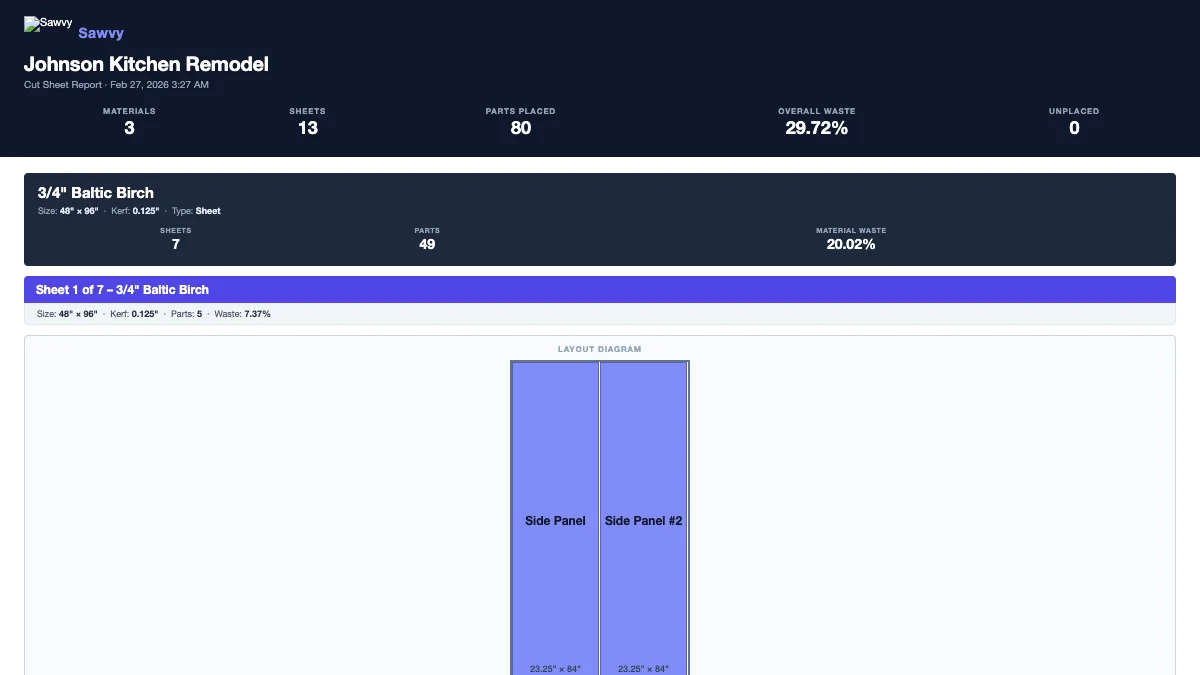
Sawvy’s optimizer arranges all your parts on sheets using a guillotine-cut algorithm compatible with table saws and panel saws. You get maximum yield from every sheet.
Grain-aware placement
Set grain direction per material (horizontal, vertical, or none) and mark parts that require grain matching. The optimizer will only place those parts in the correct orientation.
Organized project hub
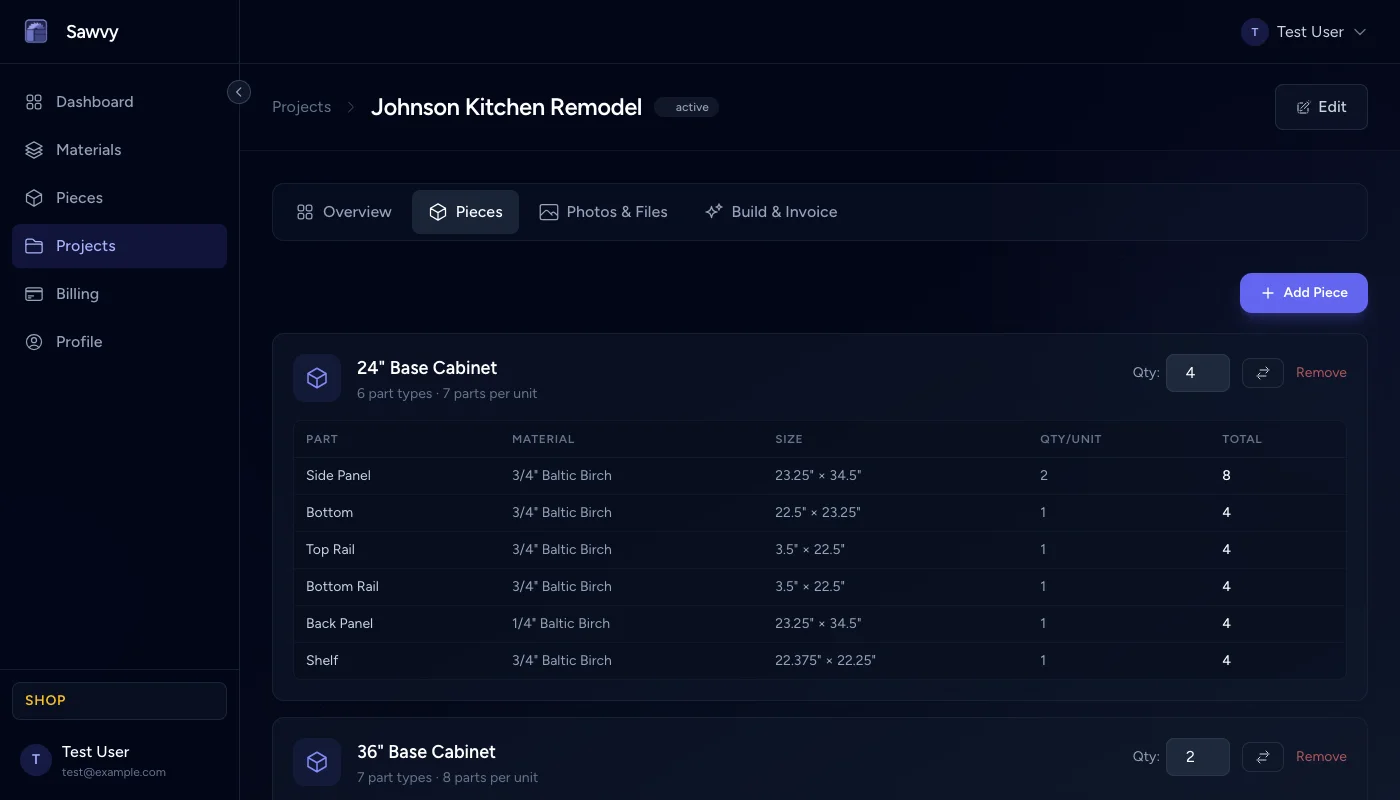
Keep every cabinet project in one place — pieces, materials, photos, notes on hardware, and checklists for each phase. No more scattered notebooks.
Printable cut sheets
Download a PDF with labeled sheet diagrams and a parts table. Hand it to your helper or take it to the saw — every cut is mapped out.
Material cost tracking
Set costs per sheet or board in your material library. After optimization, see the total material cost for the entire cabinet job on your project overview.
Client invoicing
Generate professional invoices pre-filled from your optimization results. Add labor, tax, and additional line items, then export a polished PDF for your client.
Key features for cabinet makers
Multi-material support
Define separate materials for plywood, MDF backs, and melamine shelves, each with their own sheet size and kerf.
Edge banding flags
Mark which edges of each part need banding so the shop knows at a glance.
Frequently asked questions
- Can Sawvy handle multiple cabinet materials in one project?
- Yes. You can define separate materials for plywood cases, MDF backs, melamine shelves, and more — each with its own sheet dimensions and kerf. The optimizer nests parts per material automatically.
- Does the optimizer account for grain direction?
- Absolutely. Set grain direction (horizontal, vertical, or none) on any material and flag individual parts that require grain matching. The optimizer only places those parts in the correct orientation.
- Can I generate a cut list PDF to take to the shop?
- Yes. Sawvy generates a downloadable PDF with labeled sheet diagrams and a complete parts table showing every cut mapped out on each sheet.
- Is Sawvy suitable for small cabinet shops?
- Sawvy is designed for independent makers and small shops. The free plan lets you try it on a couple of projects, and paid plans are a fraction of the cost of industrial nesting software.
- How does material cost tracking work?
- Set a cost per sheet or board in your material library. After optimization, Sawvy calculates the total material cost for the entire job based on the number of sheets used.
Start optimizing your cuts today
Join woodworkers who are saving time, materials, and money with Sawvy.