Sheet goods nesting optimizer
The core of Sawvy is its nesting algorithm: add pieces to your project with parts and materials, and it arranges everything on sheets for maximum yield. It handles kerf, grain direction, and multi-sheet layouts automatically.
How the optimizer works
Sawvy uses a guillotine-cut heuristic, meaning every cut goes all the way across the sheet or remaining piece in a straight line. This matches how table saws, panel saws, and many CNC routers actually cut. The algorithm tries multiple orderings and orientations to find a layout that wastes the least material, and it does this in seconds even for large cut lists.
Kerf-aware placement
Every saw blade has a width (kerf) that eats into your material. Sawvy lets you set kerf per material — 1/8" for a standard table saw blade, 0 for a laser, or whatever your tool requires. The optimizer adds kerf between every part placement, so the final layout matches reality. No more parts that are 1/8" too short because you forgot to account for the blade.
Grain direction support
Veneered plywood and melamine often have a visible grain direction. Sawvy lets you set grain mode per material (horizontal, vertical, or none) and flag individual parts that require grain matching. The optimizer will only place grain-required parts in orientations that align with the material's grain, even if rotation would save space.
Multi-sheet layouts
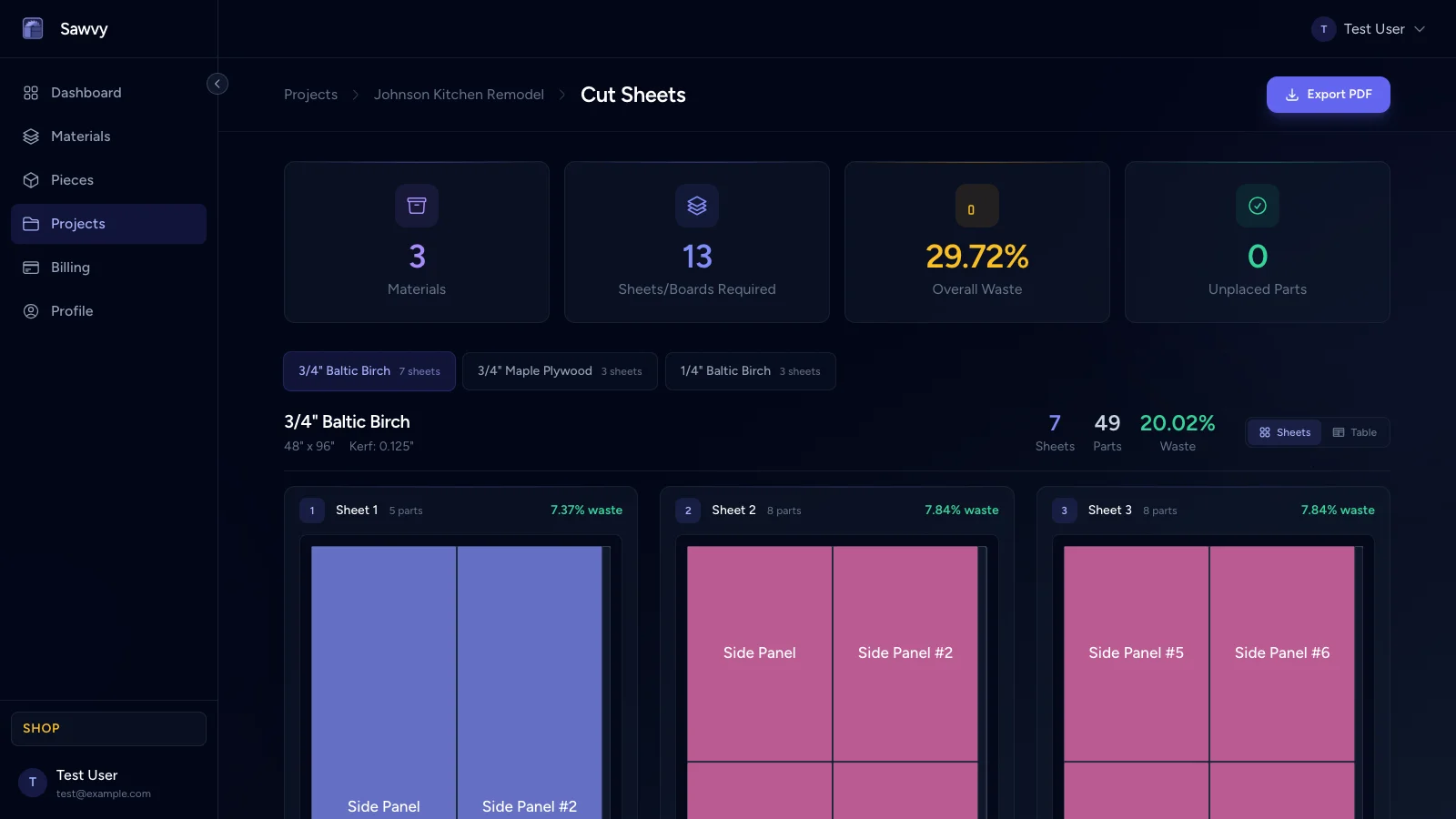
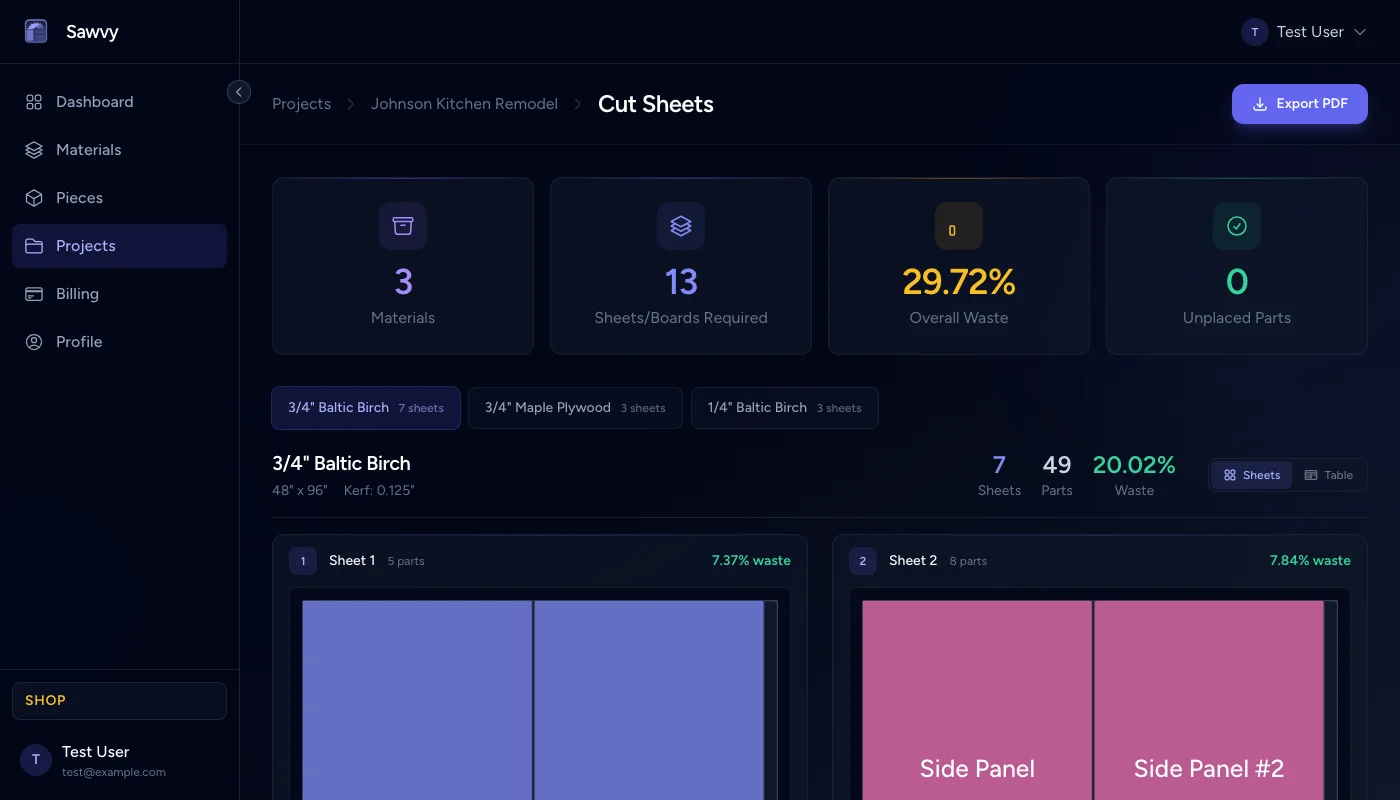
When your parts don't fit on a single sheet, Sawvy automatically flows to additional sheets. Each sheet gets its own layout diagram with labeled parts. The summary shows total sheets used, waste per sheet, and overall utilization percentage so you know exactly how much material to buy.
Manual layout vs. Sawvy
Without Sawvy
- Sketch parts on paper or directly on the sheet
- Forget kerf and end up with undersized parts
- Buy extra sheets as insurance against mistakes
- Spend 30-60 minutes on layout for a medium project
- No record of the layout after you cut
With Sawvy
- Optimized layout in seconds, not minutes
- Kerf automatically accounted for on every cut
- Know exact sheet count before buying
- Labeled PDF diagrams for every sheet
- Saved optimization history for future reference
Start optimizing your cuts today
Join woodworkers who are saving time, materials, and money with Sawvy.