A cut list is the bridge between design and building. It's the document that tells you exactly what to cut, from what material, and at what size — and a good one can be the difference between a smooth build day and a frustrating one full of re-cuts and trips back to the lumber yard.
Whether you're building a single bookcase or a full kitchen, these best practices will help you create cut lists that are accurate, organized, and useful at the saw.
Why Cut Lists Matter
Every woodworking mistake has a cost: wasted material, wasted time, or both. Most shop mistakes trace back to one of three causes:
- Wrong dimensions. A part is cut to the wrong size because the number in your head didn't match reality.
- Missing parts. You get halfway through assembly and realize you forgot to cut the back panel.
- Wrong material. The drawer bottom that should be 1/4" plywood got cut from 1/2" stock.
A thorough cut list eliminates all three. It forces you to think through every part before you touch a board, and it gives you a single source of truth to reference throughout the build.
Step 1: Break Your Project into Assemblies and Parts
Start with the big picture. Most furniture and cabinet projects break down naturally into assemblies — a cabinet carcass, a face frame, a drawer box, a door. Within each assembly, list every individual part.
For example, a simple frameless base cabinet might break down like this:
- Carcass: 2 sides, 1 bottom, 1 back, 2 stretchers
- Drawer box: 2 sides, 1 front, 1 back, 1 bottom
- Door: 1 panel
Name each part clearly. "Left side" is better than "side" when you have asymmetric parts. "Drawer front (false)" versus "drawer front (box)" prevents confusion when you have both a structural and decorative front.
A Good Naming Convention
Use a consistent format across projects. Something like:
[Assembly] - [Part Name] — e.g., "Base Cabinet - Left Side" or "Upper Drawer - Box Front"
This makes it easy to sort, search, and group parts later. It also makes your cutting diagrams readable when you're standing at the saw with sawdust in your eyes.
Step 2: Record Dimensions Carefully
For every part, record:
- Quantity — how many of this part you need.
- Thickness — especially important when you're mixing sheet goods and solid stock.
- Width — the shorter cross-grain dimension (for sheet goods, the dimension perpendicular to the face grain if grain matters).
- Length — the longer or grain-direction dimension.
- Material — species, sheet product name, or specific stock reference.
Finished vs. Rough Dimensions
Be deliberate about whether your cut list uses finished dimensions or rough/cut dimensions.
- Finished dimensions represent the final size of the part after all milling — planing, jointing, sanding, edgebanding.
- Rough/cut dimensions include allowances for those processes.
Most woodworkers find it clearest to list finished dimensions in the cut list, then add allowances when generating cutting layouts. This way, the cut list is a clean record of what the project actually needs, and the allowances are handled separately (and can be adjusted for your specific tooling and workflow).
If you do include allowances in the cut list itself, mark them clearly so you don't accidentally add them twice.
Step 3: Organize by Material and Grain Direction
Group your parts by material first, then by thickness. This serves two purposes:
- Purchasing: You can quickly see how much of each material you need to buy.
- Cutting: When you're at the saw, you process all parts of one material before switching to the next. Less setup, fewer mistakes.
Within each material group, note which parts are grain-sensitive. Cabinet doors, drawer fronts, and visible face-frame pieces typically need the grain running in a specific direction (usually vertical). Parts like cabinet backs and stretchers usually don't.
This matters for optimization. A grain-sensitive part can only be placed in one orientation on a sheet, while a non-grain-sensitive part can be rotated 90° to fit wherever there's space. Marking this correctly can save you an entire sheet on a large project.
Step 4: Double-Check Everything
Before you cut anything, review your list against your plans or SketchUp model:
- Count parts against your drawing. Walk through the assembly in your mind. Two sides, one bottom, one back — does the list match?
- Verify dimensions against your design. If the cabinet is 34.5" tall, and the bottom is inset 1/2" from the floor with 3/4" material for the bottom panel, your sides should be 34.5" tall, and your bottom's position should account for the 3/4" thickness. These interdependencies are where errors hide.
- Check for duplicates. It's easy to list the same part twice under slightly different names.
- Sanity-check material volumes. If your list says you need 9 sheets of plywood for a single bathroom vanity, something is off.
Spending ten minutes reviewing a cut list can save an hour of rework.
Step 5: Use Clear Labels in the Shop
A cut list on paper is step one. Getting that information onto the actual parts is step two.
Labeling tips:
- Mark each part immediately after cutting with a pencil or painter's tape label. Write the part name and which face is "up" or "out."
- Use a consistent mark for grain direction — a simple arrow on the tape works.
- Group cut parts by assembly on your bench or cart. All the drawer-box parts together, all the carcass parts together. This makes assembly day dramatically smoother.
- If you use a CNC or panel saw with a printed layout, check off each part on the diagram as you cut it. This prevents the "did I already cut that?" problem.
Automating the Process
Building a cut list by hand works fine for a simple project, but as complexity grows — multi-cabinet kitchens, built-in entertainment centers, closet systems — managing dozens or hundreds of parts on paper or in a spreadsheet becomes a real bottleneck.
Common spreadsheet pitfalls:
- A formula breaks and silently gives you wrong dimensions.
- You add a part but forget to update the material totals.
- Sorting by one column scrambles your carefully organized groups.
- You can't easily go from the list to a visual cutting diagram.
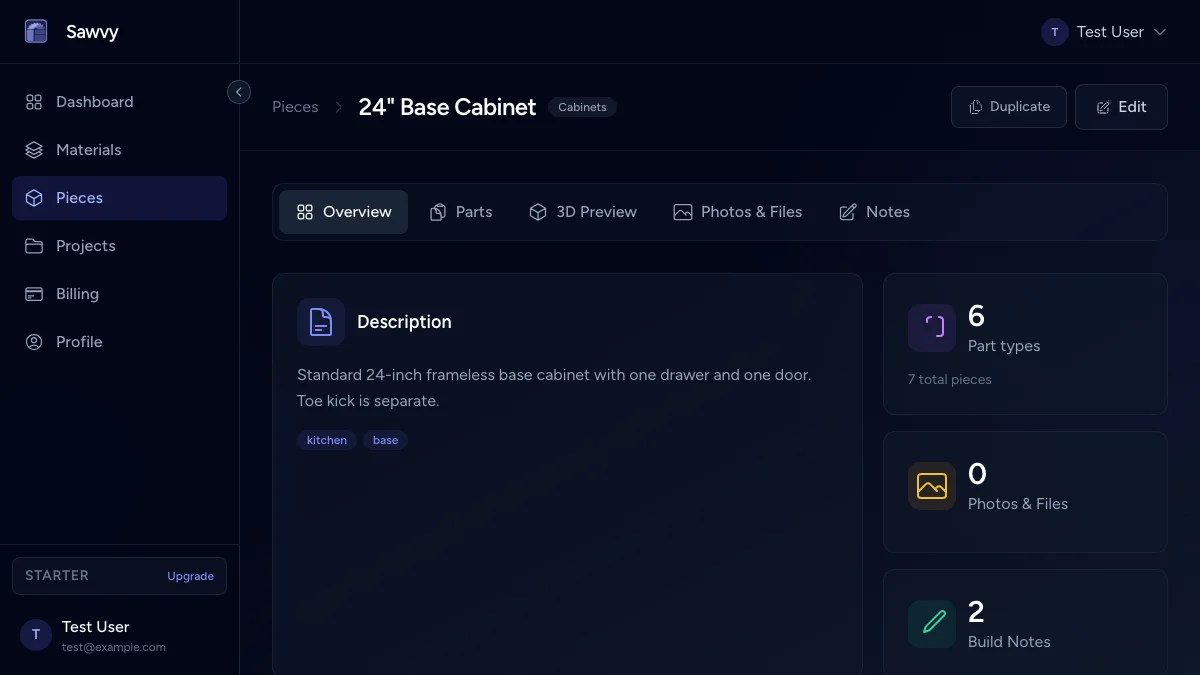
This is where dedicated cut-list software can help. We built Sawvy's cut list generator to handle exactly this — you organize your project by assembly and material, mark grain direction and edgebanding, and go straight from the parts list to optimized cutting diagrams without juggling separate files. It's the workflow we wished we had when we were still managing everything in spreadsheets.
A Cut-List Checklist
Before you head to the shop, run through this quick checklist:
- Every part has a clear name, quantity, and material assigned
- Dimensions are recorded consistently (all finished, or all rough — not mixed)
- Parts are grouped by material and thickness
- Grain-sensitive parts are marked
- Dimensions have been cross-checked against the design
- Total material quantities make sense for the project size
- You have a plan for labeling parts as you cut
If you can check every box, you're set for a productive, low-stress day at the saw.
Build your next cut list in Sawvy — it's free to get started at getsawvy.com.